aroday Open aro.day →

never lose the thread

plan focus done

aro.day is a fast, keyboard-driven planner for people running too many threads at once. Carry yesterday forward, schedule against your real calendar, focus one task or several, and see exactly where the day went.

No sign-up. Runs in your browser, works offline.

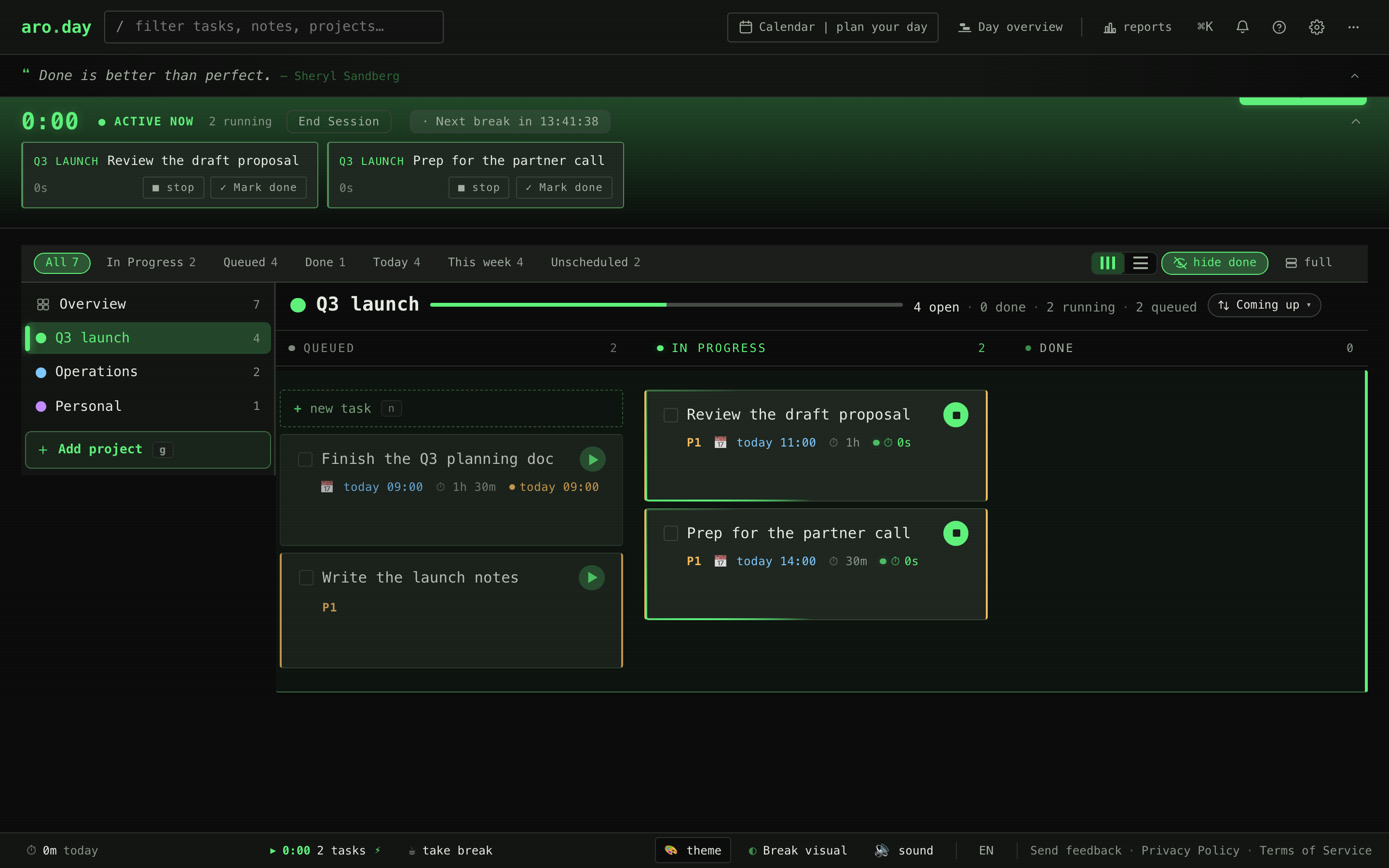
The aro.day board with two focus timers running at once in the active bar above the kanban.
scroll · the day begins

the problem

Most planners forget. You shouldn't have to.

You end the day with half the list undone. Tomorrow opens on a blank slate, and the first hour goes to reconstructing what already mattered. The thread is lost before you start.

aro.day is built for the cognitive shape of a hard day: many open threads, real deadlines, no margin to lose state. Engineers, founders, residents, grad students, lawyers.

plan

Nothing falls between days.

The Day overview surfaces every unfinished task across every project. What carried, what's queued, what's due today, in one strip. Open it, pick up.

The aro.day Day overview: a timeline strip across the top showing how busy the day is, with cards below for today's tasks and yesterday's carry-over.
the Day overview: the strip shows how busy the day is, the cards show today's tasks and yesterday's carry-over

focus

More than one timer at a time. Every one in sight.

Pomodoro tools run one timer. aro.day runs as many as the day calls for — each bound to its task, each visible in the active bar above the board. Three concurrent meetings, two reviews, a deep-work block: nothing forgotten in the background.

The aro.day active bar tracking two focus timers at once, each one bound to its task with stop and mark-done controls.
the active bar: every running task, tracked at once

break

It calls the break. You actually rest.

When a focus block ends, aro.day dims the work and brings up a calm break: a breathing orb, a quiet line, a countdown. It auto-resumes when you are done. Rest is part of the loop here, not an afterthought you skip.

An aro.day break in progress: a softly breathing orb over the dimmed board, with a calm prompt and a five-minute countdown.
a break in progress: the breathing-orb style

schedule

Your meetings, next to your tasks.

Your Google meetings land next to your aro.day tasks — connect once, then it's one canvas. Right-click any meeting to drop a prep block before it. Drag from the rail into any free slot. No copying between apps.

The aro.day calendar with Google Calendar connected: aro.day tasks in amber interleaved with Google events in blue (Team standup, 1:1 with Sarah, Lunch, Design review). A 15-minute prep block sits next to the 1:1, auto-created from the meeting.
your tasks (amber) on the calendar with your Google events (blue), plus a prep block before the 1:1

done

See where the time actually went.

The daily report sums up the day automatically. Time worked, tasks completed, tasks still in progress, anything that needs attention, all grouped by project. Copy the markdown, paste it where you write your standup or your end-of-day note.

The aro.day daily report: time worked, tasks completed and in progress, summary across all projects, with a one-click markdown export.
the daily report: today, written for you

start tomorrow here

Your next day, from open to done.

For people who can't afford to lose the thread.